CyberPower CP1500PFCLCD UPS – Reliable Power Hardware is your ultimate solution for uninterrupted power supply, ensuring your devices stay protected and operational at all times. With exceptional features like automatic voltage regulation, a multifunction LCD, and advanced surge protection, this UPS is designed to meet the needs of both home and office environments. The importance of a reliable power supply cannot be overstated, especially in settings where downtime can lead to significant losses or disruptions.
Equipped with a robust set of specifications, the CyberPower CP1500PFCLCD UPS delivers impressive performance with its 1500VA/900W capacity, providing ample backup power for your essential electronics. Its user-friendly design makes it an indispensable tool for safeguarding your valuable equipment against unexpected power outages and surges.
Overview of CyberPower CP1500PFCLCD UPS
The CyberPower CP1500PFCLCD UPS is a high-performance uninterruptible power supply designed to provide reliable backup power and surge protection for sensitive electronic equipment. With its advanced features and robust design, this UPS ensures that your devices remain powered during outages and fluctuations, thus safeguarding your data and hardware. Whether in a home office or a corporate environment, having a dependable power source is essential for maintaining productivity and continuity.
This UPS is equipped with a pure sine wave output, which is crucial for ensuring compatibility with a variety of devices, including sensitive electronics such as computers and home theater systems. It also boasts a user-friendly LCD display that provides real-time information on battery status, load level, and estimated runtime. The CP1500PFCLCD supports a capacity of 1500VA/900W, making it suitable for a wide range of applications from personal electronics to office equipment.
Main Features
– Pure Sine Wave Output: Ensures compatibility with all electronics.
– LCD Display: Provides real-time monitoring of battery and load status.
– Automatic Voltage Regulation (AVR): Stabilizes voltage fluctuations.
– Multiple Outlets: 10 total outlets with 5 surge-protected and 5 battery backup.
– USB Charging Ports: Conveniently charge devices without needing a power outlet.
Technical Specifications
The technical details of the CyberPower CP1500PFCLCD UPS are as follows:
- Capacity: 1500VA / 900W
- Input Voltage: 120V AC
- Output Voltage: 120V AC
- Battery Type: Sealed Lead Acid
- Runtime: Up to 30 minutes at half load
- Dimensions: 13.2 x 10.2 x 5.2 inches
- Weight: 25 lbs
Key Benefits of Using CyberPower CP1500PFCLCD UPS
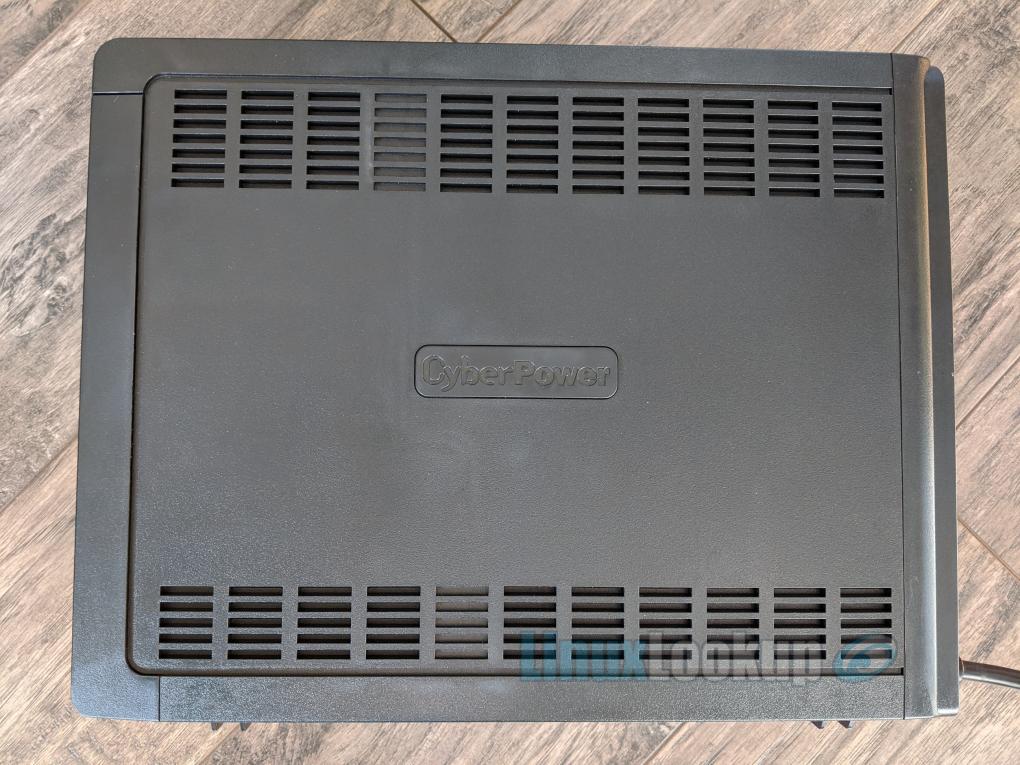
Utilizing the CyberPower CP1500PFCLCD UPS in both home and office settings presents numerous advantages that enhance the reliability and safety of your electronic devices. The UPS provides a safeguard against power interruptions, ensuring that critical operations can continue without disruption.
Advantages in Different Environments, CyberPower CP1500PFCLCD UPS – Reliable Power Hardware
In residential environments, the UPS protects home theater systems, gaming consoles, and computers from unexpected power cuts. In office settings, it ensures that workstations and networking equipment remain operational during outages, preventing data loss and productivity setbacks.
Scenarios Requiring UPS Protection
– Power Outages: Protects data and equipment from sudden shutdowns.
– Voltage Fluctuations: Stabilizes power to prevent damage from surges.
– Sensitive Equipment: Ideal for computers, servers, and medical devices.
Feature Comparison with Other Models
When compared to other UPS models in its category, the CyberPower CP1500PFCLCD stands out due to its efficient power management features and user-friendly interface. Unlike many competitors, it offers pure sine wave output, which is essential for maintaining the integrity of sensitive electronics.
Installation and Setup Process: CyberPower CP1500PFCLCD UPS – Reliable Power Hardware
Installing the CyberPower CP1500PFCLCD UPS is a straightforward process that can be accomplished with basic tools and careful preparation.
Step-by-Step Installation
1. Choose a Location: Ensure that the UPS is placed in a well-ventilated area.
2. Mounting: If necessary, use brackets for secure mounting.
3. Connect the UPS: Plug the UPS into a wall outlet.
4. Connect Devices: Attach the equipment you wish to protect to the UPS outlets.
5. Power On: Turn on the UPS and check the LCD display for status.
Checklist for Installation
Before you begin the installation process, ensure you have the following tools:
- Screwdriver
- Mounting brackets (if required)
- Power cords for connected devices
- Level (for mounting accuracy)
Avoiding Common Mistakes
– Overloading Outlets: Ensure not to exceed the UPS capacity.
– Poor Ventilation: Maintain space around the unit for airflow.
– Ignoring Setup Instructions: Follow the user manual carefully for optimal performance.
Maintenance and Troubleshooting
Regular maintenance is critical to ensure the CyberPower CP1500PFCLCD UPS performs optimally throughout its life.
Regular Maintenance Tasks
Perform the following maintenance tasks regularly:
- Check and clean battery contacts once every six months.
- Test the UPS by performing a self-test monthly.
- Replace batteries every 3-5 years, depending on usage.
Troubleshooting Common Issues
If you encounter issues with the UPS, follow these troubleshooting steps:
- Check connections if the UPS does not power on.
- Reset the UPS if it is not responding.
- Monitor the LCD for error indications and consult the manual.
Maintenance Tips Table
| Task | Frequency |
|---|---|
| Check battery health | Monthly |
| Clean dust from vents | Every 6 months |
| Perform software updates | As needed |
Power Management Software Integration
Integrating the CyberPower CP1500PFCLCD UPS with power management software enhances its functionality and allows for more efficient power management.
Integration Process
To integrate the UPS with power management software, follow these steps:
1. Download Software: Obtain the compatible software from the CyberPower website.
2. Installation: Install the software on your computer.
3. Connect UPS to PC: Use a USB cable to connect the UPS to your system.
4. Configure Settings: Follow the software prompts to set preferences.
Features of Management Software
The power management software offers features like:
– Real-time monitoring: View the status of your UPS and connected devices.
– Automatic Shutdown: Configures your computer to shut down safely during an outage.
– Notifications: Receive alerts for battery status and potential issues.
Challenges and Resolutions
Common challenges when configuring the software include:
– Driver Issues: Ensure that all drivers are updated to avoid connectivity problems.
– Compatibility: Verify that your operating system supports the software version.
User Reviews and Experiences
User feedback on the CyberPower CP1500PFCLCD UPS indicates a high level of satisfaction, particularly regarding its reliability and performance.
User Experiences Summary
Many users praise the UPS for its:
– Ease of Setup: Simple installation process.
– Performance: Consistent power during outages.
– User Interface: The LCD screen is clear and informative.
User Ratings Comparison
| Platform | User Rating | Comments |
|---|---|---|
| Amazon | 4.7/5 | Excellent performance; highly recommend. |
| Best Buy | 4.5/5 | Reliable UPS, worth the investment. |
| Newegg | 4.6/5 | Great features and easy to use. |
Comparison with Competing UPS Models
The CyberPower CP1500PFCLCD UPS can be compared to other popular UPS models, such as the APC Back-UPS Pro 1500VA and the Eaton 5S 1500VA UPS.
Unique Selling Points
The unique selling points of the CyberPower model include:
– Pure Sine Wave Output: Ensures compatibility with sensitive electronics.
– User-Friendly LCD Display: Easy access to UPS status and settings.
– Value for Money: Competitive pricing relative to features offered.
Price vs. Performance Analysis
When analyzing price versus performance, the CyberPower CP1500PFCLCD stands out as a cost-effective option that does not compromise on quality, providing customers with both reliability and functionality at an attractive price point.
Environmental Impact and Energy Efficiency
The CyberPower CP1500PFCLCD UPS is designed with energy efficiency in mind, helping to reduce overall environmental impact.
Energy Efficiency Ratings
The UPS has received various energy efficiency certifications, including Energy Star, which highlights its commitment to reducing energy consumption while providing powerful protection to devices.
Environmental Considerations
Using a UPS can have environmental impacts, primarily concerning battery disposal. It is crucial to recycle batteries properly to minimize ecological harm.
Reducing Energy Consumption
Ways to reduce energy consumption while using the UPS include:
- Utilizing energy-efficient devices.
- Adjusting settings to minimize power usage during non-peak hours.
- Regularly maintaining the UPS to ensure optimal efficiency.