Mock up tools are essential for bringing creative visions to life, allowing designers to visualize and iterate their ideas before the final product is realized. These powerful resources streamline the design process, making it easier for teams to collaborate and innovate. With a wide array of mock up tools available on the market, understanding their capabilities and roles can significantly enhance product development.
From fashion to web development, mock up tools serve varied industries by facilitating design presentations and marketing efforts. Their importance cannot be overstated as they not only enhance creativity but also improve communication among team members and stakeholders.
Understanding Mock Up Tools
Mock up tools are essential resources in the design world, serving as a bridge between initial concepts and final products. They allow designers to create visual representations of their ideas, offering a tangible preview of how the end product will look and feel. These tools play a crucial role in various stages of product development, helping teams to visualize, collaborate, and iterate on designs.
Mock up tools come in various forms, each tailored to specific design needs. Some of the most common types include static mockups, interactive prototypes, and presentation mockups. Static mockups provide a visual snapshot of a design, while interactive prototypes offer a clickable experience, simulating user interaction. Presentation mockups are designed to showcase work in a visually engaging way, often used for client presentations or marketing purposes. The importance of these tools in product development cannot be overstated; they facilitate communication among team members and clients, leading to more refined and effective design outcomes.
Popular Mock Up Tools
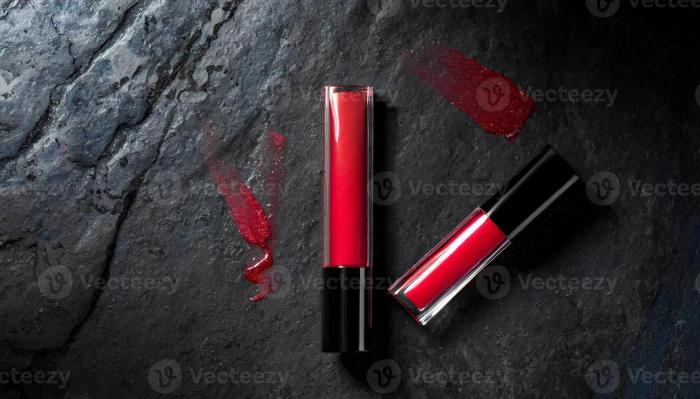
Several mock up tools have gained popularity among designers and developers, each offering unique features and benefits. The following list highlights some of the top products in the market:
- Adobe XD: A comprehensive design tool that supports wireframing, prototyping, and collaboration. Pricing starts with a free starter plan, while premium features are available through subscription.
- Figma: Favored for its cloud-based approach, which allows real-time collaboration. Free for individual users, with paid options for teams.
- Sketch: A vector design tool known for its ease of use and extensive plugin ecosystem. Requires a one-time purchase for licensing.
- InVision: Primarily a prototyping tool that excels in user testing and feedback collection. Offers a free plan with limited features and premium plans for advanced capabilities.
- MockupFree: A free online tool that provides a variety of mockup templates for quick and easy presentations.
When comparing these tools, features and pricing vary significantly. For example, Adobe XD and Figma both offer powerful collaboration features, while Sketch is renowned for its extensive design capabilities. However, Figma’s web-based platform allows for more seamless teamwork. In terms of budget, MockupFree stands out as an excellent cost-effective option for occasional users.
Features of Effective Mock Up Tools
An effective mock up tool is characterized by several essential features that streamline the design process. Key features include:
- Ease of Use: A user-friendly interface that reduces the learning curve for new users.
- Customization Options: The ability to tailor mockups to specific needs, including colors, layouts, and branding elements.
- Collaboration Features: Tools that facilitate team communication, such as comments, version control, and real-time editing capabilities.
Customization options are especially significant, enabling designers to create mockups that align closely with their project requirements. For instance, incorporating brand colors and logos can help in visualizing how well a product fits within its intended market. Collaboration features enhance team workflows, allowing multiple stakeholders to provide input and feedback seamlessly.
Using Mock Up Tools for Different Industries
Mock up tools are versatile and find application across various industries, each leveraging them in unique ways. In the fashion industry, designers use mock up tools to create visual presentations of clothing lines, allowing stakeholders to envision the collection before production. These mockups help in showcasing the design concept and making necessary adjustments based on feedback.
In web and app development, mock up tools are crucial for simulating user interfaces and experiences. Designers can create clickable prototypes that demonstrate functionality and user flow, making it easier to identify potential issues before coding begins. Marketing and advertising campaigns also benefit from mock up tools, as they help in visualizing promotional materials and ensuring brand consistency before launching campaigns.
Tips for Choosing the Right Mock Up Tool
Selecting the most suitable mock up tool requires careful consideration of project needs. Here are some guidelines to follow:
- Assess Project Requirements: Determine the specific features needed for your project, such as interactivity or collaboration.
- User Interface and Usability: Look for tools with intuitive interfaces that facilitate efficient workflow.
- Budget Considerations: Choose a tool that fits within your budget while still providing necessary features.
The user interface and overall usability of a mock up tool can significantly affect a team’s productivity. A tool that is difficult to navigate can hinder the design process, while a well-designed interface promotes efficiency. Budget constraints should also be factored in, as some tools offer essential features at lower costs, making them suitable for smaller teams or projects.
Best Practices for Creating Mock Ups
Creating an effective mock up involves several best practices that can enhance the quality of the output. The steps include:
- Define Goals: Clearly Artikel the objectives of your mock up to ensure it meets project expectations.
- Gather Feedback: Share initial mock ups with team members and stakeholders to gather constructive input.
- Refine and Iterate: Make necessary adjustments based on feedback to improve the mock up before the final presentation.
- Present Professionally: Use visually appealing formats and layouts when presenting mock ups to clients or stakeholders to make a lasting impression.
Incorporating feedback into mock ups can lead to significant improvements, ensuring that the final design aligns with user needs and expectations. Presenting mock ups professionally enhances credibility and showcases the designer’s commitment to quality.
Future Trends in Mock Up Tools
The landscape of mock up tools is constantly evolving, with emerging trends shaping the future of design processes. Key trends include:
- Integration of AI: Artificial intelligence is increasingly being incorporated into mock up tools, assisting in design generation and providing predictive analytics.
- Enhanced Collaboration Features: Tools are focusing on improving collaboration capabilities, enabling remote teams to work more effectively together.
- Augmented Reality (AR) and Virtual Reality (VR): The integration of AR and VR technologies is allowing designers to create immersive mock ups, providing a more realistic representation of products.
AI’s role in the evolution of mock up tools is particularly noteworthy, as it can streamline workflows and enhance creativity. Moreover, as remote work becomes more prevalent, tools with robust collaboration features will be essential for ensuring teams can work efficiently and cohesively.