Canva Pro Graphic Design Software is your ultimate creative companion, designed to empower users with an array of professional tools that transform ideas into stunning visuals. With an intuitive interface and powerful features, Canva Pro takes design to the next level, making it accessible for both seasoned designers and beginners alike. Whether you’re crafting social media graphics, engaging presentations, or marketing materials, Canva Pro provides the resources needed to bring your vision to life.
This software stands out from its free counterpart by offering advanced functionalities such as premium templates, enhanced collaboration options, and sophisticated editing tools that cater to teams and individuals aiming for high-quality designs. Ideal for businesses, marketers, and creatives, Canva Pro not only enhances productivity but also inspires innovation with its user-friendly design environment.
Overview of Canva Pro Graphic Design Software
Canva Pro is a cutting-edge graphic design software that empowers users to create stunning designs with ease. It offers a plethora of advanced features that cater specifically to the needs of professional designers and businesses looking to elevate their brand’s visual presence. This powerful tool enables users to unleash their creativity without the steep learning curve typically associated with graphic design software.
One of the primary differences between Canva Pro and its free version is the extensive range of features available in the Pro version. While the free version provides basic tools and templates, Canva Pro expands on this with premium features such as unlimited folders for organization, access to a vast library of premium images, videos, and templates, as well as advanced editing tools. The target audience for Canva Pro includes marketing professionals, small business owners, educators, and anyone needing high-quality design quickly and efficiently.
Key Functionalities of Canva Pro
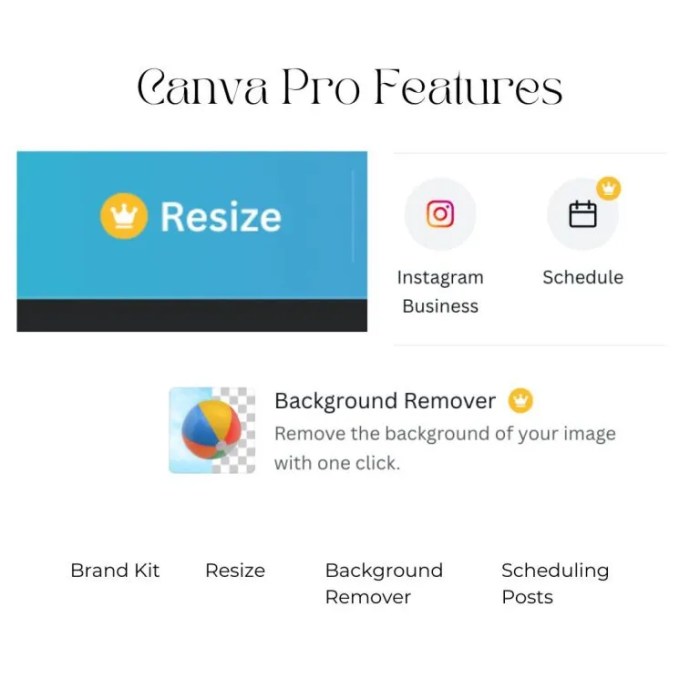
Canva Pro comes packed with an array of powerful tools designed to enhance the design process. Key functionalities include:
- Unlimited folders for organizing designs.
- Access to over 75 million premium stock photos, videos, and audio tracks.
- Customizable templates for various purposes, including social media posts, presentations, and flyers.
- Advanced editing tools such as background remover and image enhancer.
- Collaboration features that allow multiple users to work on a design simultaneously.
Templates play a crucial role in improving design efficiency. They provide a starting point that can be customized to fit specific needs, allowing users to create professional-looking materials in a fraction of the time it would take to design from scratch. Moreover, Canva Pro’s collaboration features enable teams to work together seamlessly, making it ideal for businesses looking to streamline their creative processes.
Pricing and Subscription Model
Canva Pro’s pricing structure is competitive when compared to similar graphic design tools in the market. The subscription model offers flexibility for professional designers who require consistent access to advanced features without the pressure of large upfront costs.
Users can choose from monthly or annual payment options, with substantial discounts available for those who opt for an annual subscription. This pricing strategy allows businesses to manage their budgets effectively while ensuring they have the necessary tools for high-quality design work.
Use Cases for Canva Pro
Canva Pro serves a diverse range of industries, each benefiting from its extensive features. For instance, marketing agencies utilize Canva Pro for creating visually appealing advertisements and social media graphics, while educators use it for designing engaging presentations.
A small business can leverage Canva Pro for their marketing efforts by designing eye-catching promotional materials, such as flyers and social media posts, that communicate their brand’s message effectively. Common projects that can be created using Canva Pro include social media graphics, brochures, infographics, and e-books.
User Experience and Interface, Canva Pro Graphic Design Software
The user interface of Canva Pro is designed with intuitiveness in mind. Its drag-and-drop functionality makes it easy for users to add elements to their designs, while the organized layout ensures that all tools are readily accessible.
User feedback indicates that Canva Pro is remarkably easy to use, with most users reporting a minimal learning curve. To start a project in Canva Pro, follow these simple steps:
- Log in to your Canva Pro account.
- Choose the type of design you want to create from the homepage.
- Select a template or start from scratch.
- Use the toolbar to add images, text, and other elements to your design.
- Save and download your design once you’re satisfied.
Advanced Features of Canva Pro
Canva Pro offers numerous advanced editing tools that allow for extensive customization of designs. Users can adjust colors, fonts, and layouts, ensuring that their creations align perfectly with brand guidelines.
Brand kits are a significant feature in Canva Pro, allowing users to create a cohesive brand identity by storing logos, colors, and fonts in one place. This feature enhances branding consistency across all marketing materials. Additionally, Canva Pro provides options for animations and video editing, enabling users to create dynamic content that captures attention.
Integrations and Compatibility
Canva Pro integrates seamlessly with various tools and platforms, enhancing its functionality and user experience. Users can connect Canva with platforms like Google Drive, Dropbox, and social media accounts for easy access to files and streamlined sharing.
Using Canva Pro in conjunction with other software solutions offers substantial benefits, including improved workflow and collaboration. Canva Pro supports multiple file types for importing and exporting designs, ensuring compatibility with a wide range of applications.
Educational Resources and Support
Canva Pro users have access to a vast array of educational resources, including tutorials, webinars, and a comprehensive help center. These resources empower users to maximize their use of the software and improve their design skills.
Community support is robust, with numerous forums and user groups dedicated to sharing tips and tricks for using Canva Pro effectively. Engaging with these communities provides additional insights and fosters collaboration among users. The availability of tutorials and webinars plays a crucial role in helping users master Canva Pro, making the learning process both efficient and enjoyable.
Future Developments for Canva Pro
Anticipated upgrades for Canva Pro include enhanced AI features, which could revolutionize the design process by automating repetitive tasks and providing intelligent suggestions. User requests significantly influence product development, ensuring that the software continues to meet the evolving needs of its audience.
Industry trends, such as the growing demand for video content and personalized marketing materials, will undoubtedly impact the future evolution of Canva Pro. As the software adapts to these trends, users can expect even more innovative features designed to enhance creativity and efficiency.