Top screenwriting software is essential for transforming creative ideas into structured scripts that captivate audiences. Over the years, screenwriting software has evolved significantly, transitioning from basic text editors to sophisticated tools equipped with unique features tailored for writers. These programs streamline the writing process, helping both beginners and seasoned professionals craft compelling narratives with ease.
From automatic formatting to collaboration capabilities, today’s top screenwriting software options offer a variety of functionalities that enhance the overall writing experience. As the industry continues to grow, selecting the right software becomes crucial for writers looking to bring their stories to life.
Overview of Screenwriting Software: Top Screenwriting Software
Screenwriting software plays a crucial role in the writing process, enabling writers to structure their narratives, format their scripts correctly, and streamline collaboration with others in the filmmaking industry. These tools are essential for both novice and seasoned screenwriters, as they help maintain the industry standards for script formatting, which can significantly impact the chances of getting noticed by producers and directors.
The development of screenwriting software began in the late 20th century, evolving from simple text editors to sophisticated programs equipped with features tailored specifically for screenwriting. Early programs like Movie Magic Screenwriter and Final Draft set the groundwork for today’s software, which now includes cloud-based options, mobile applications, and collaborative tools.
Most screenwriting software offers primary features such as automatic formatting, templates for various genres, character tracking, scene management, and revision tracking. These elements not only enhance the writing experience but also ensure that the screenplay adheres to industry standards.
Top Screenwriting Software Options
The market is flooded with screenwriting software options, each catering to different needs and preferences. Here are five of the top choices currently available:
- Final Draft: Widely regarded as the industry standard, Final Draft offers robust features such as automatic formatting, collaboration tools, and a wide array of templates. Its intuitive interface makes it popular among professionals.
- Celtx: Known for its cloud-based capabilities, Celtx allows for real-time collaboration and version control. It includes features like story development tools and production management.
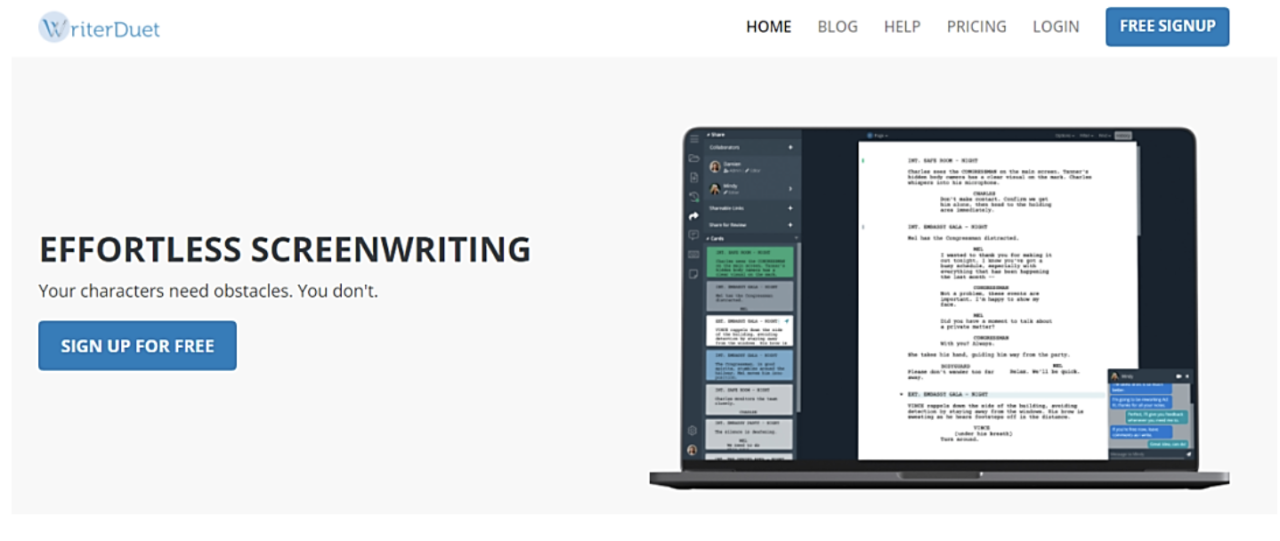
- WriterDuet: This software emphasizes collaboration, enabling multiple writers to work on a script simultaneously. Its cloud-based nature ensures accessibility and ease of use across devices.
- Movie Magic Screenwriter: With features like script analysis and reporting, this software is ideal for writers seeking to delve deeper into their narratives and characters.
- Highland 2: This Mac-exclusive software is known for its clean interface and powerful text-based approach, appealing to writers who prefer minimal distractions.
| Software | Key Features | Pricing | User Ratings |
|---|---|---|---|
| Final Draft | Automatic formatting, collaboration tools | $249.99 | 4.7/5 |
| Celtx | Cloud-based, story development tools | $15/month | 4.5/5 |
| WriterDuet | Real-time collaboration, cloud access | Free basic version, $11.99/month | 4.6/5 |
| Movie Magic Screenwriter | Script analysis, reporting tools | $199.95 | 4.4/5 |
| Highland 2 | Text-based processing, minimal interface | $49.99 | 4.5/5 |
User Experience and Interface Design
User experience (UX) is a critical factor in the effectiveness of screenwriting software. A well-designed interface not only enhances usability but also boosts productivity for writers, allowing them to focus on their stories rather than the tools themselves.
The user interfaces of popular screenwriting software vary significantly. Some prioritize a minimalist design, while others offer comprehensive toolbars and features.
Key design elements that enhance usability include:
- Intuitive navigation that minimizes the learning curve.
- Customizable layouts to suit individual workflow preferences.
- Clear visual cues for formatting and scene transitions.
- Integrated help features or tutorials for beginners.
- Responsive design that works seamlessly across devices.
Pricing Models and Accessibility
Screenwriting software typically comes in two main pricing models: subscription-based and one-time purchase. Subscription models often include regular updates and cloud access, while one-time purchases provide a permanent license for the software.
Accessibility varies for beginners and seasoned writers. Beginners may benefit from user-friendly interfaces and affordable pricing, while experienced writers might prioritize advanced features and integrations.
| Pricing Tier | Features Included | Free Trials |
|---|---|---|
| Basic | Core features, limited access | Yes (Celtx, WriterDuet) |
| Standard | Advanced features, additional templates | No |
| Premium | All features, priority support | Yes (Final Draft, Highland 2) |
Integration with Other Tools
Screenwriting software can integrate with various writing and production tools, enhancing the overall writing process. These integrations allow writers to seamlessly transition between drafting scripts and managing production elements.
Benefits of using integrated tools include streamlined workflows, easier collaboration, and the ability to use additional resources without switching between programs.
Popular tools that effectively complement screenwriting software include:
- Project management tools like Trello or Asana.
- Cloud storage services such as Google Drive and Dropbox.
- Production software like StudioBinder.
- Note-taking applications like Evernote or OneNote.
Tips for Choosing the Right Software, Top screenwriting software
When selecting screenwriting software, writers should consider various factors to ensure they choose a tool that aligns with their personal style and needs.
A checklist for consideration includes:
- Budget and pricing model that fits your financial situation.
- Features that match your writing style and process.
- User interface preferences for ease of use.
- Collaboration options if working with co-writers or producers.
- Availability of customer support and community resources.
Different writers may choose software based on specific needs. For instance, a collaborative writer might prefer WriterDuet, while a solo writer may lean toward Highland 2 for its simplicity.
Emerging Trends in Screenwriting Software
Emerging features and innovations in screenwriting software are rapidly transforming the writing landscape. Trends such as AI-assisted writing, cloud-based services, and machine learning are becoming increasingly prevalent, allowing for enhanced writing experiences.
User demands indicate a growing preference for features that facilitate collaboration, real-time feedback, and adaptive learning capabilities within the software.
Advancements in technology are creating opportunities for writers to harness AI to refine their scripts and streamline the revision process, ultimately leading to a more efficient and creative writing environment.
Resources for Learning and Support
Numerous online resources are available to help users learn how to utilize screenwriting software effectively. These resources are essential for maximizing the potential of the chosen software and improving writing skills overall.
Community support and user forums provide valuable networking opportunities and insights from fellow writers. Recommended resources include:
- Tutorials on platforms like YouTube for visual guidance.
- User forums on Reddit and specialized screenwriting websites.
- Online courses offered by platforms such as MasterClass or Coursera.
- Writing workshops and local meet-ups to discuss experiences and techniques.